I found it really interesting, how everything on this show looked exactly like it did in the game and yet, maybe for the first time, it still didn’t feel like this “member this” meme. That’s just how the weapons, they use in this world, look. That’s great! I would have been good with just Lucy as a/the main character, but they probably made the right call, to have 3 main characters give their respective vantage points. Allows for more storytelling and grabs more viewers, in case someone wouldn’t like a specific character. I liked all of them, however.
This time, for some magic reason, I didn’t see any long rants about the show being released all at once, instead of the classic weekly basis. Clearly Fallout was successful and people did talk about it, despite it being released all at once. Maybe a show just has to be GOOD and that’s all there is to it. I’d still be interested in why they made this change, Amazon went to weekly years ago (at least for their “bigger” shows like The Boys), there must be a reason why they didn’t do it this time. Really glad they already renewed it.
Warner Bros. is removing Adult Swim Games from console stores and Steam
Warner Bros. is now erasing games as it plans to delist Adult Swim-published titles
One Nintendo lawsuit has brought down two of the most popular emulators out there
Who is qualified to make a world? In search of the magic of maps
New optical disc has room for 1,000 copies of Baldur’s Gate 3
Broken Sword: Reforged – Collector’s Edition on Kickstarter
Deck Nine Games lays off 20 percent of staff
Ex-ZA/UM writers allege studio has become a ‘cold, careless company’
Update: Disco Elysium developer ZA/UM confirms layoffs
20 Video Game Presidents Ranked by How Much I’d Rather Vote for Them in 2024
X-Wing Is Video Gaming’s Greek Fire
10 facts you didn’t know about the Star Wars: X-Wing series
BioShock creator Ken Levine finally explains Judas “narrative Lego” concept
Rain Man at 30: damaging stereotype or ‘the best thing that happened to autism’?
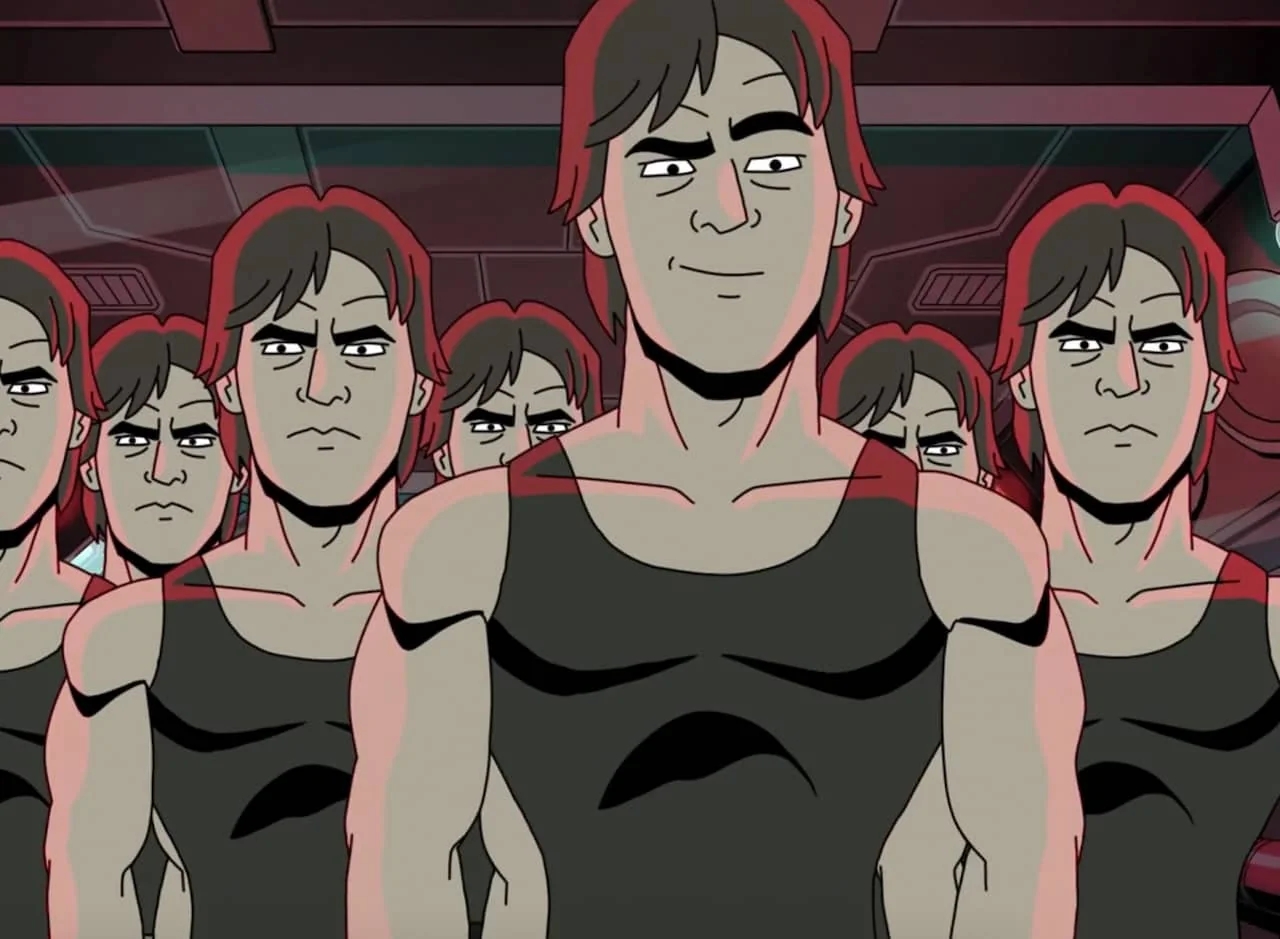
This game was a lot of fun for what it was. Probably the closest to Freelancer since Freelancer, if I may say so (to my knowledge, of course). All the ships handle really well and it’s fun to play. The main character is a woman who looks eerily reminiscent of Jan-Michael Vincent and the game has radio stations and a soundtrack like GTA games. That was clearly a really good choice and helped the game a lot.
The story was really weird and seemed to end at a point, that could have been a chapter 1. Little to nothing was resolved and calling it open ended is still putting it mildly. There are even some minor choices, but some of them don’t seem to have any effect on the game. I read somewhere, they were tracked in case DLC would be made at some point (no such DLC was made).
What ended up being more exciting/interesting than the official main story, was buying a run down space station and building it up again. It even ends up offering ship types, that aren’t available anywhere else in the game. Clearly this should have been the main event and the game should have been build around that idea.
After finishing the story and finishing the space station, I stopped playing the game – random missions are generated at stations in perpetuity, but they’ll only lead to the same combat I had experienced dozens of times already and things have to end somewhere.
It’s always hard to say from the outside, but it does feel as if this might have become a major classic in this genre, if they would have had the budget for it. The gameplay loop is really solid, flying the ships is great. Rockets hitting you is extreme, everything shakes, the glass (?) of the cockpit can have cracks and the player character will sometimes move her hands around (panic, shock etc.), as one might when the ship might be close to blowing up – another really good idea. There is distortion and everything looks really good. All the sounds are solid. Again, there’s really not much missing that could have made it an unforgettable cult classic. A lot of it is already here. I’m really glad I played this, they don’t make that kind of game anymore. I mean, not in great numbers anyway.
Oh yeah, Sharky never became a buddy of mine, so I didn’t get that achievement. I actually looked that one up and she should have been available, but she wasn’t. She wasn’t at her home base nor anywhere else. Super weird. Just mentioning this because I wasted some time trying to find her, when it was apparently impossible to do so.
Also, the ship that’s somehow presented as the best one in the game, really isn’t IMHO (it should speak volumes that it’s the very ship she’s already flying, when she’s crashing in the intro – so why should anyone be so eager to get back to that specific model?!?). The most expensive ship has a “light” hull and that means you pretty much blow up the second the shields are down – and that is going to happen since many fights are relatively long (some are almost like fights of attrition), because pirates have ample reinforcements incoming all the time, the ability to last throughout long encounters is imperative. Even just flying to a mission has hostile ships lying in wait again and again.
It’s possible to mount the most guns on that ship, but what good does that, if the ship can’t take any hits? I usually flew the freighter with he heavy hull and it even allows 4 gun turrets. Even if one prefers to fly a fast(er) fighter, the Foxbat is still a better choice, because the hull for that one is at least still “medium”. Makes all the difference. Otherwise one will be thrown back to the last checkpoint a lot. The game autosaves at certain points and that’s it. Nothing manual.
Finally, everyone should at least check out the intro. It definitely made me play this.
I see 2023 has been another resounding success for this blog. 😂😂😂
PS: Damn, this post would have sufficed to get to 1 post a month. Ah well, now I have a “major” entry about BG3 too. 😛
PPS: Would be kinda funny if I just deleted the BG3 entry now. 😁
MONTHS ago, when it came out. But I really hate it when I don’t even publish at least one post a month, because then this month is missing from the archive links on the right side. So I sort of have to crank out SOMETHING. In any case, I think at this point everything should have been said about this game numerous times so I can just skip repeating most elements. I’ll exclusively focus on things I noticed in the game and haven’t seen discussed anywhere else (although they probably were discussed too SOMEWHERE). It’s not like I keep track of that. Or do a search or ANYTHING really.
Back when I played it (of course one of the countless patches could have changed it since then), BG3 had a level cap. Of 12. Now I really wouldn’t claim that I did everything in this game, because I’m sure I haven’t. I didn’t ignore quests really, but I also didn’t try my hardest to find everything. But despite me not playing every quest in the game, I seriously reached max level ~50 hours before the game was done. I always thought this was a sign of… somewhat less than perfect balancing (that’s why I threw in the remark with the patches, I’d almost expect them to iterate on that), when players could reach max level with so much game left. Quests should just give less XP then etc…
I mean thankfully the game has more qualities and motivating factors than just leveling up, I’m not saying that, but it’s just weird and frustrating that your character is just done and can’t learn anything new anymore with a significant part of the adventure still ahead.
That kind of brings me right to the ending. BG3 seemed so elaborate in many parts and I’m a sucker for long elaborate endings, especially when it comes to games I’ve spent so much time in. The ending I got felt almost abrupt to me. Some of the characters barely gave more than an “k bye” before leaving forever. That’s weird after everything they went through (I played and finished all sidequests for all the companions). There was one brief scene/conversation with the romance option and then it was go ending credits go and that was the game. Of course I’ve definitely seen much worse endings, but it still felt like a little bit of a letdown, after playing this for ~150 hours.
While playing this, I caught myself numerous times thinking, that I’m happy about this game’s success, because it gives me hope there might be more (or any) D&D games in the future (as opposed to NONE). I’m first and foremost into this setting, I like and know all the places, people and whatnot and I missed it all. It’s so strange that it took “them” 20 years to do another game like this.
While I’m not one of the Larian fans, I still can only applaud this developer for just selling people a game and not have any micro-transaction bullshit or DLC insanity going on. Just buy this game once and then go play it. This mentality really isn’t something one can take for granted with major titles like this. So yeah, this game is in this weird space where its success is good for any RPG fan, because it might embolden devs with similar philosophies and could “inspire” others to do similar stuff. They were also smart doing EA the way they did. I bet CDP wishes they would have done the same with Cyberpunk and thus sidestepped so much needless drama.
btw: Why did they name it Baldur’s Gate 3 when the previous game was named Baldur’s Gate II? A subtle hint that this is from a different dev and maybe doesn’t have all that much to do with the previous games? It can’t be coincidence, right?
Baldur’s Gate 3 Is Proof That We’re In a Golden Age for RPGs
The Mythology Behind Pentiment
Broken Sword designer Charles Cecil says criticism of bespoke AI tool is “frankly ludicrous”
End of the road: The Xbox 360 game marketplace will shut down
Atari 2600+: Neuauflage der klassischen Konsole spielt Cartridges ab
It looks like Android is getting a Continuity-like device-linking feature
The Associations Between Camouflaging, Autistic Traits, and Mental Health in Nonautistic Adults
And I like it a lot so far. I’m surprised how hard it is. I don’t remember 2 being this tough. I’m only playing on normal and some fights I found almost unwinnable without losses at first. It’s definitely harder than XCOM 2, because there are no “superpowers”. The only thing so far I noticed that makes a huge difference, is if a weapon is fully modded. So collecting as many parts as possible plus a really good mechanic are a must. At some point I noticed that my age old tactic from JA2 is still solid: only fight at night. Slap those night vision googles on everyone and never fight during daytime. Unless the game forces this somehow.
The weather conditions are even more elaborate now, because there aren’t just day/night cycles. Fog, dust storms, rain… All those can be factors. The only thing that’s better than fighting at night, is fighting at night when there’s also some fog. :D
The only big thing I’m really missing, is the ability to just buy/order stuff on the laptop. Money now mostly serves as a means to pay the mercs and while there are some shops in some sectors, they are very rare and even then they only offer 3-4 static items, bad luck if there’s nothing amongst them, that is of interest to the player. I don’t understand this decision and can only make sense of it by thinking that this too was supposed to make the game harder. It takes quite some time to find good weapons and especially in the beginning it’s easy to run out of ammo.
Getting rid of burst modes is important without the means of just ordering more ammo, it can only be crafted in specific sectors. So a lot of the contract time for the mercs is just moving around to reach critical spots. It keeps the game really dynamic and there are more unexpected turns than there were in JA2. I’m far from finishing the campaign, but so far it seems a lot less straight forward and more complex. That’s really great.
Another improvement is, that there are way more side missions now. Pretty much every town has a character with a minor problem, or even a big one. Even enemy strongholds have optional sub-tasks, which make attacking them more interesting than simply running into the sector, the player can invest time in weakening them before the actual attack. Given how hard those fights can be, it makes a lot of sense to do all of those first. This is a situation in which the difficulty pays off. These outposts also have a real function in this world, they raise smaller squads and send them to attack the neighboring towns. So it even makes sense strategically to attack them, just to stop the threat they pose.
I’m maybe 25% through the campaign at this point, unless something unforeseen happens that prolongs it somehow and I’m happy to say that I didn’t really encounter any bugs. This game is really solid so far on my PC. There are obviously a ton of systems in this game and nothing would be less surprising if this was riddled with bugs, but it really isn’t. That’s just great.
The next new feature I haven’t mentioned yet is scouting, mercs can collect information about sectors that are close by and the gathered intel can be really valuable. They really thought about what would make sense in this situation and built the whole game around that. I’m really into it.
In the last decade or so, many movies/games etc. have had an almost excessive amount of references to older/previous stuff and I think the mentions of Arulco or the miracle drug made from the Metavira tree sap are appropriate (I just hope the Santiago woman is not a relative of the villain from JA1 :D). Oh and the menu screen shows the active squad, just like the XCOM 2 menu showed player created soldiers. That’s nice.
I just wanted to mention this game briefly, because it is too good to be ignored and I haven’t seen many people talk about it. Not that I would necessarily notice this and I haven’t been searching for fans of this game either, I just really hope this does well. There are not many games in this very specific niche, especially not at this level of polish. I’m definitely going to finish this.
So far in my game Biff died because I failed to find him in time. Sorry man! Too much stuff going on to just send the squad only after you. Many other tasks don’t seem to be time sensitive though. Really glad about that. :D The first mine was depleted really quickly, I hope not all mines deplete like this, if so, the whole game time is limited, of course, because all the mercs would leave without pay and this would make for a miserable end. In that case it could use an avatar timer, so the player is informed about this ticking clock. Wouldn’t be fun for me to be surprised by this.
So in conclusion, best tactics still are: only attacking at night, night vision googles, rooftops, prone (why don’t more games have this) and an extremely powerful and NEW attack type is setting up machine guns. They have a cone in front of them and the mercs just keep shooting as long as they have ammo. I have been in at least one situation that had so many enemies that this was the only thing I could do in order to survive. Throwing explosives and mortar strikes weren’t enough (not that one would have enough of those anyway). The inventory space is also quite restrictive (I’m constantly forced to throw things away or strip them down for parts), but this much isn’t new I think.
Really hoping I’m not the only one who likes this game, it really deserves as much attention as XCOM managed to gather. At least.
Oh yeah, the lines some mercs drop can be slightly annoying, but at least in my case it’s even less about what they are actually saying and more about the fact that they only have one catch phrase for every situation. So you’ll hear the same stuff A LOT. But I understand that voice acting is really expensive and whatnot and that they can’t give every merc hours of dialog. I can live with that. I probably should read this once more before posting, but I won’t. btw: it’s not just Biff who died in my game, also the guy from the station in the north was gone (probably dead) when I finally got there. Sorry! Also Basil got killed immediately (alongside his whole ranger team) by the army when I attacked to retake the village, there was no way in hell I could have gotten over there in time to save him. Now the whole sector has no characters left one could talk to. :D
System Shock: The oral history of a forward-thinking PC classic
System Shock remake review: Nightdive rebuilds the immersive sim mothership just as it was
Save Editor (Project CyberCAT-SimpleGUI)
The original Far Cry‘s source code has been leaked, uploaded online
Windows XP Activation: GAME OVER
 FileHippo.com
- VSDC Free Video Editor 6.3.5.7 for PC Windows
- FileZilla 3.43.0 64-bit FTP Client for PC Windows
- FileZilla 3.43.0 for PC Windows
- Iperius Backup 6.2.2 Complete Backup Utility for PC Windows
- Ashampoo WinOptimizer 17.00.23 for PC Windows
- Kodi Media Streaming 18.3 for PC Windows
- Potplayer 32-bit 1.7.19315.0 Beta for PC Windows
- Avast Secure Browser 75.0.1447.81 Privacy and Security Tool for PC Windows
- McAfee Labs Stinger 12.1.0.3218 Antivirus for PC Windows
- Maxthon Cloud Browser 5.2.7.5000 for PC Windows
 adrift